How do you count calories in a way that actually works in everyday life? Calorie counting often sounds like more work than it really is. When I started my own weight loss, I did not know what BMR meant, I weighed food wrong for the first few days and I gave up once before it finally clicked. In the end I lost almost 40 kilos, and tracking calories was the single most important tool along the way. This is the guide I wish I had read on day one.
I will walk you through the whole path: what calories are, how to find your starting point, how to log your first day in the RestinCal food diary and how to read the results without unnecessary stress. Every step links to the tool you can use to do it right away.
You do not need the whole guide at once. RestinBot walks you through the same steps in short form: your energy needs, logging your first meal and your weekly review. It also shows instructions for every page with one tap and answers questions about counting calories.
What are calories and why count them?
A calorie is a unit of energy. When we talk about food, "calorie" in practice means a kilocalorie, written as kcal, the number printed on every food label. Your body uses energy all the time: to keep your heart beating, to breathe, to stay warm, to digest food and, of course, to move.
Weight management is built on energy balance. When you take in less energy than you use over a longer period, your body covers the difference from its stores and your weight goes down. When you eat more, it goes up. Counting calories is simply a way to make this otherwise invisible balance visible.
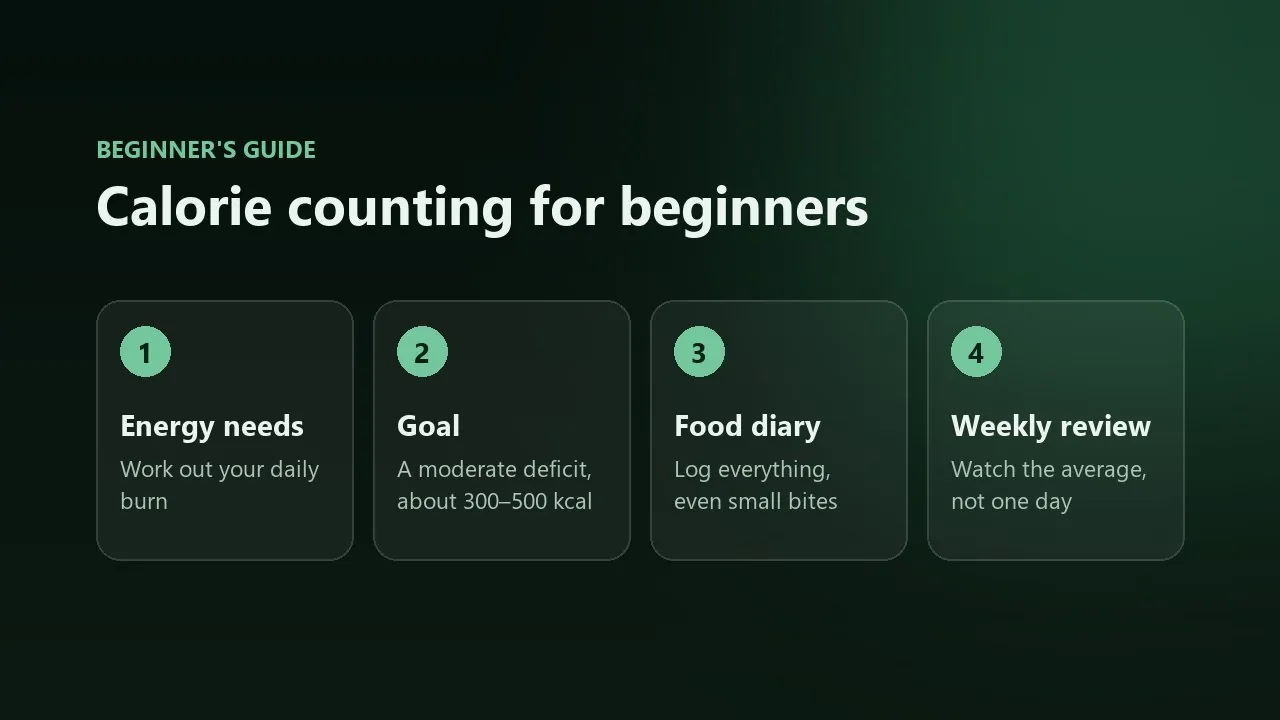
1Find your energy needs
Before you can set a goal, you need an estimate of how much energy you use. That takes two numbers:
- BMR, basal metabolic rate, is the energy your body uses at complete rest. It is usually the largest part of your daily expenditure.
- TDEE, total daily energy expenditure, is BMR plus all movement: commuting, chores, steps and workouts.
The RestinCal BMR calculator uses the Mifflin–St Jeor equation, which is considered one of the most reliable estimation formulas. Enter your age, sex, height and weight, then choose an activity level. Be honest with the activity level. In my experience most people think they move more than they actually do, so if you are unsure, pick the lower option.
Calculate BMR and TDEERemember that the result is an estimate. Your real expenditure only becomes clear when you compare what you eat with your weight trend over a couple of weeks. More on that in step 5. To understand the formula in more detail, read What is BMR and how is it calculated?
2Choose a moderate goal
Once you know your total expenditure, you can choose a direction. Losing weight needs a calorie deficit, maintaining needs balance and gaining needs a small surplus. The most common beginner mistake is starting with a deficit that is far too large. It works for a couple of weeks, until hunger, tiredness and irritability win.
I did best with a daily deficit of about 300–500 kcal. In everyday life it mostly felt like slightly smaller snacks, yet my weight went down steadily month after month. In the BMR calculator you can choose a weight-loss or weight-gain pace, and it shows your daily calorie target based on that. Save it to your profile and it carries straight over to the food diary.
Next, visit the Macros page. There your calorie target is split into protein, carbohydrates and fat. Beginners do not need to worry too much about macros, but enough protein is worth including from day one: it keeps hunger at bay and helps preserve muscle during a deficit. The macro calculator has ready-made protein levels in grams per kilo of body weight.
Set calorie and macro targetsMore on protein: Protein intake during weight loss.
3Log your first day in the food diary
Now for the real thing. The goal of your first day is not to hit a calorie target but to learn what you actually eat. Eat as you normally would and log everything. Many people are surprised on the very first day by where their calories really come from.
- Open the food diary and make sure the date is correct.
- Search for a food by typing its name. For packaged products, scanning the barcode with your phone camera is the fastest way.
- Pick the right product and glance at the nutrition values. Check especially whether they are for raw or cooked food.
- Enter the amount in grams and choose the meal, for example breakfast, lunch, snack, dinner or evening snack.
- Press Add. The summary updates immediately and shows how much of your daily target is left.
A few tips that make logging much faster:
- Log while you eat. Trying to remember everything in the evening means half of it is forgotten, especially small nibbles.
- Recent foods appear in the diary, so adding your usual breakfast takes a couple of taps.
- Save your own recipes if you cook the same food often. Once a recipe is saved, you can add a portion to the diary in one go.
- Product missing? You can add it to the food database yourself using the values on the package.
- Sign in if you want your entries saved to the cloud and visible on both your phone and computer.
Calorie calculator or food diary?
RestinCal has two tools that look similar at first glance. The difference matters, though:
| Calorie calculator | Food diary | |
|---|---|---|
| Purpose | A quick calculation of one meal or idea | Daily tracking over the long term |
| Is it saved? | Not saved for tracking | Saved, and synced to the cloud when signed in |
| Weekly summary and trends | No | Yes |
| Use it when… | you want to know how much energy a restaurant meal or recipe has | you want to track your eating and see your progress |
4Weigh, measure and estimate sensibly
How accurate calorie counting is depends almost entirely on how well you estimate the amount you eat. I bought a cheap kitchen scale in my very first week, and it was the best ten euros I spent on the whole project. By eye, I kept underestimating portions of pasta, rice and cheese.
- Nutrition values are given per 100 grams. You enter the amount you ate and RestinCal does the rest. If you ate 150 g, you get 1.5 times the values shown per 100 g.
- Raw or cooked? Rice, pasta and meat change weight when cooked. Always weigh food in the same form as the values of the product you chose. The raw and cooked weight converter can help.
- Do not forget hidden calories. Cooking fat, salad dressing, milk in coffee, juices and alcohol are the easiest to leave out.
- At a restaurant, an estimate is enough. Choose the most similar food and round up rather than down. One uncertain meal does not ruin the big picture.
You do not need a scale for the rest of your life. After a few weeks of weighing, your eye learns to estimate your most common portions surprisingly well. I have written more about honest logging in Honesty with the app is honesty with yourself.
5Follow the week, not a single day
This may be the most important lesson in the whole guide. Body weight can swing 1–2 kilos from one day to the next because of water, salt, carbohydrates and digestion. If you stare at the scale every morning and react to every swing, you will get frustrated fast.
- The weekly summary shows your average calories. One celebration does not cancel out a week if the other days go to plan.
- Weight tracking has a trend line that smooths out daily swings. Look at the direction, not a single number.
- Adjust every 2–3 weeks. If your weight has not moved at all for two or three weeks and you have logged carefully, lower your target by about 100–200 kcal. If you are losing clearly faster than planned, add a little.
Read more: Why does weight fluctuate day to day? and Does a relaxed weekend ruin a calorie deficit?
Common beginner mistakes
I made almost every one of these myself, so do not worry if you recognise yourself:
- Starting with a deficit that is too large. A fast start feels motivating, but a sustainable pace always wins.
- Only logging the "good" days. The bad days teach you the most. Log them even when they do not hit the target.
- Eating back all exercise calories. Expenditure estimates from smartwatches and gym machines are often too high. If you eat exercise calories back, eat only part of them.
- Giving up after one slip. One pizza night ruins nothing. Log it and carry on normally at your next meal, without compensating by fasting.
- Chasing perfection. A diary kept at 90% accuracy for a long time is worth more than two weeks of perfect logging followed by burnout.
First-week checklist
- I calculated my BMR and TDEE with the BMR calculator
- I chose a moderate goal and saved it to my profile
- I checked my calorie and protein targets on the Macros page
- I logged at least three ordinary days in the food diary
- I weighed at least a few of my most common portions on a kitchen scale
- I logged my weight a couple of times a week, at the same time in the morning
- At the end of the week I checked the average in the weekly summary
If any step is unclear, RestinBot in the bottom-right corner explains how to use every page. Open it and choose "Show instructions for this page".
Frequently asked questions
How long should I keep counting calories?
For as long as it helps you. Many people track carefully for the first few months and then move to lighter tracking once portion sizes and their own eating habits feel familiar.
Do I have to weigh every food?
No. A scale is most useful at the start, while you learn portion sizes. Later, package portions, item counts and familiar measures are often good enough.
Is RestinCal free?
Yes. The food diary, calculators and recipes are free. Signing in with a Google account is only needed if you want to save your data to the cloud and use it on several devices.
Why is my weight not going down even though I am in a deficit?
The most common reasons are water fluctuation, too short a tracking period or calories that were not logged. Follow the trend for at least 2–3 weeks and check for hidden calories before changing your target.
Sources and further reading
Checked 1 October 2026